Our examples
An empty living room, staged: what changes and what should stay
A closer look at our sample room: furniture placement, walking space and the details a listing photo should preserve.
By StageBurgh · Published October 27, 2026
Start with the room buyers will actually visit
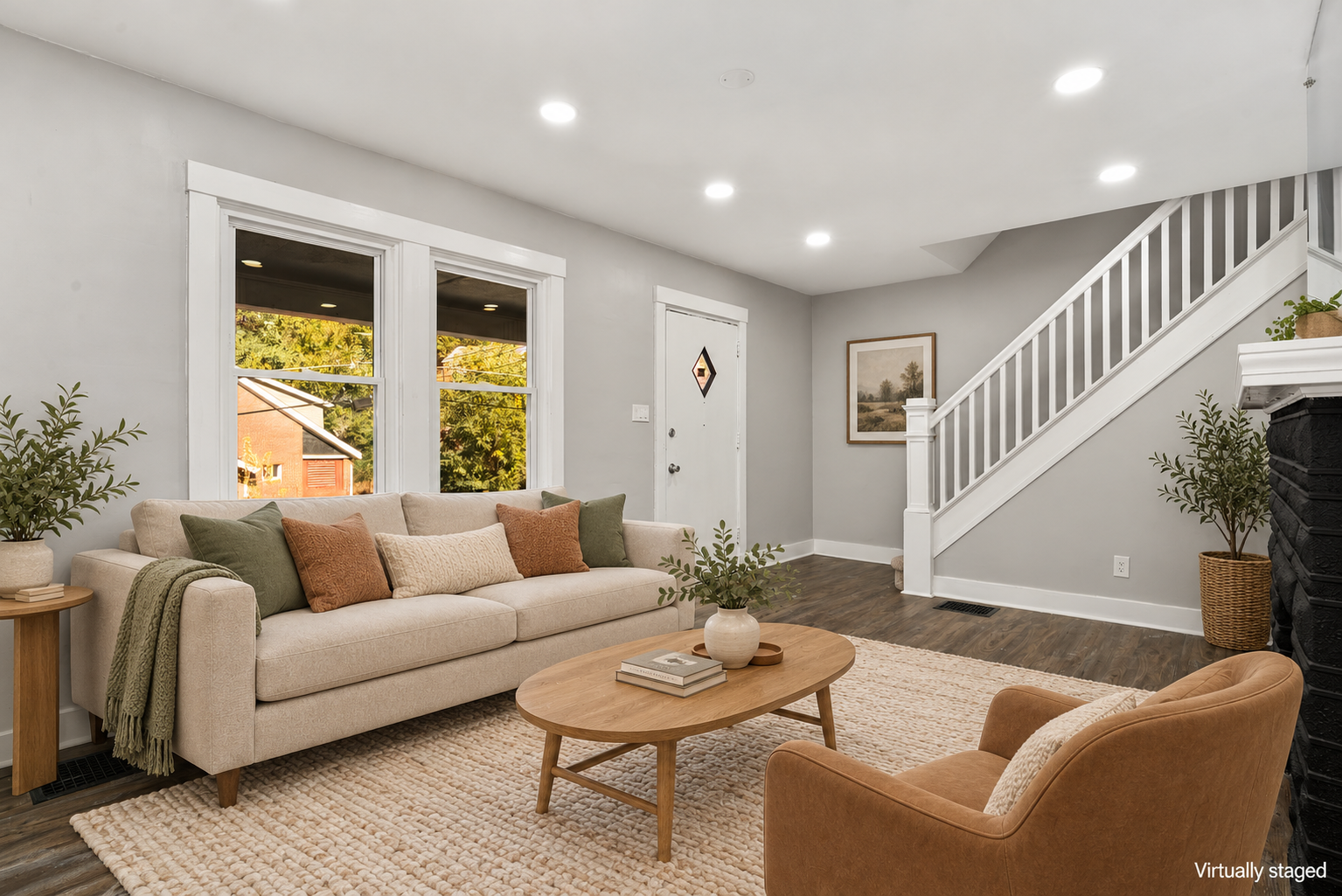
Our original sample has two front windows, a front door beside the staircase, dark wood-look flooring and part of a fireplace at the right edge. Those features determine where furniture can go. A successful staging edit helps explain the room without changing its layout.
For this room, the entry route matters as much as the furniture. A sofa or chair should not suggest that the doorway or stairs can be blocked. The furnished image should make the seating area easy to understand while preserving the approach from the front door.
Add a purpose, then stop
A small seating group, a rug and restrained accessories can explain how an empty room might work. Filling every corner can make the result less useful: buyers still need to see the floor, windows and available space.
Compare the original and staged versions on our homepage. Look at the fixed features first, then consider whether the furniture feels appropriately scaled. The example illustrates a possible arrangement; it is not a measured furniture plan.
Review the details before publishing
Check window shapes, stair railings, outlets, floor boundaries and the edge of the fireplace against the original. Digital editing can introduce small inconsistencies, so a finished image needs a human review. Existing wear and permanent property features should not be silently removed.
Keep the original available alongside the edited image and clearly label digital furnishings as virtual staging. The buyer should understand that the furniture is illustrative. Our examples show a presentation option, not a promise of a sale price or selling time.